The Information Pop-up Option in the Sellio Product Options app is designed to display additional information, guides, or content to customers without requiring any selection or input. It is a non-chargeable option used purely to enhance the shopping experience by providing helpful details.
This option is ideal for showing size charts, product guides, instructions, or extra information in a clean and interactive way.
An Information Pop-up Option allows merchants to display content either:
As a popup (modal)
Or by redirecting to another page
It acts as an informational trigger rather than a selectable option.
Example:
Size Guide
? View Size Chart
When clicked:
Opens a popup with size chart
ORRedirects to a detailed size guide page
Basic Configuration
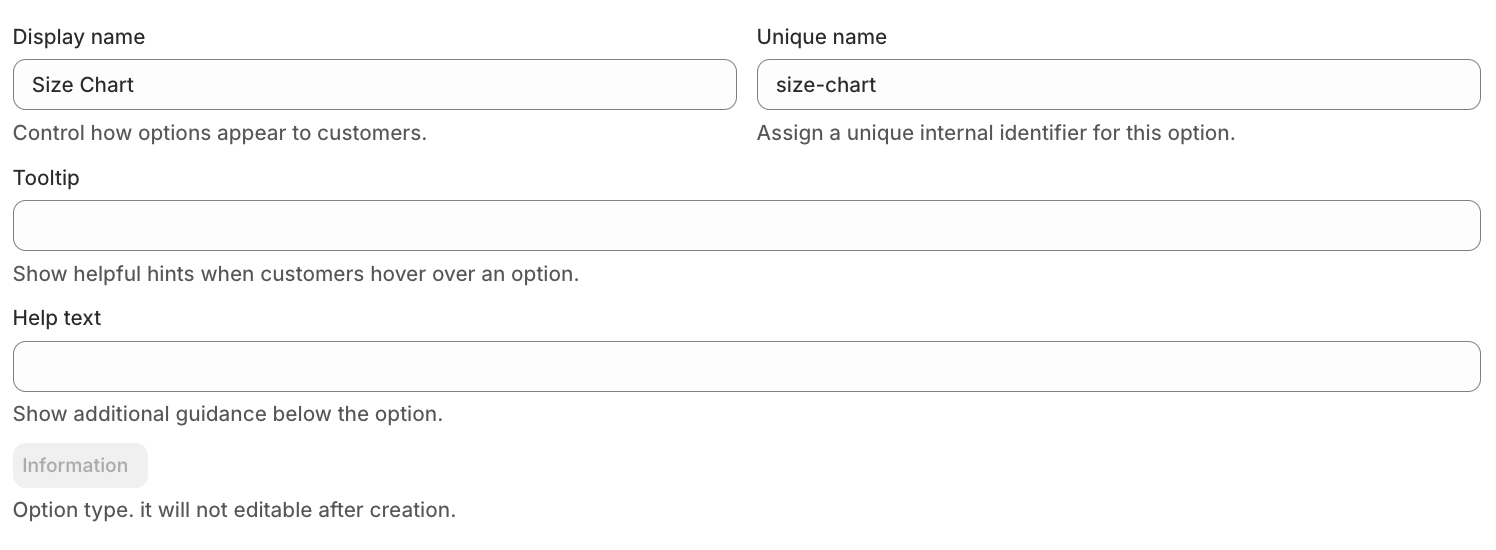
• Display Name
This is the label visible on the product page.
Example: Size Guide
• Unique Name
Internal identifier used for backend operations.
Example: size_chart_info
• Tooltip
Displays additional information when hovered.
Example: Click to view size chart
• Help Text
Shown below the option to guide customers.
Example: Check sizing details before purchasing
Advanced Settings
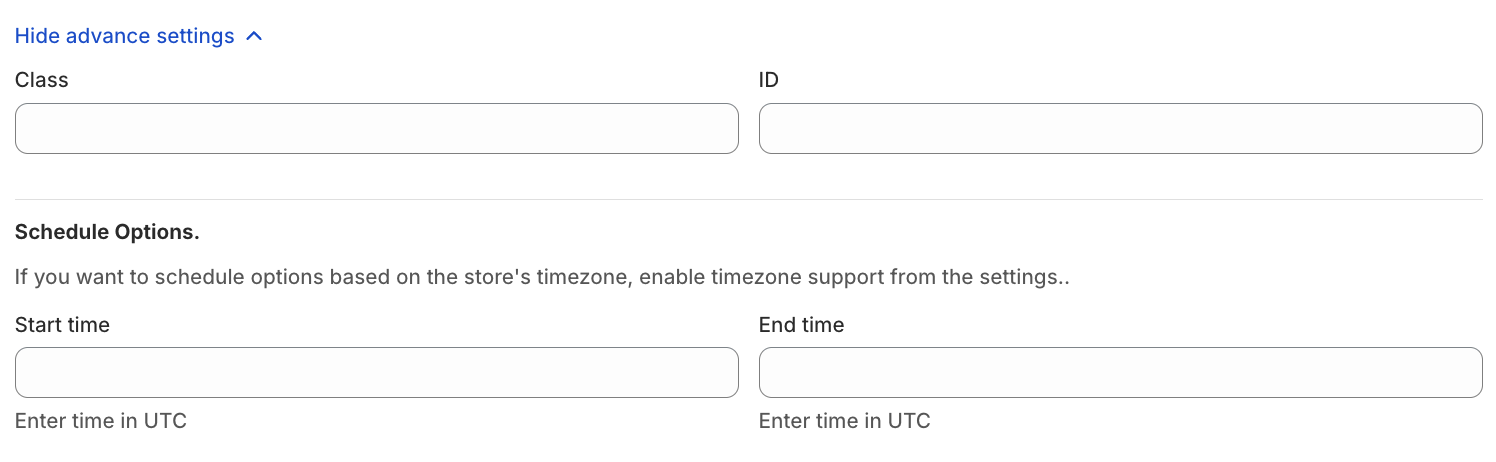
• Class & ID
Used for custom styling or tracking via CSS/JS.
• Schedule Option
Control when the option is visible:
Start Time
End Time
Use Case:
Display special guides or instructions during campaigns or product launches.
⚡ Display Behavior
This option provides two ways to show information:
• Display as Modal / Popup
When enabled, clicking the link will open a popup window (modal) with content.

? Use Case:
Size charts
Product instructions
Quick guides
• Link Text
This is the clickable text shown to customers.

Examples:
View Size Chart
Learn More
View Instructions
? Use Case:
Acts as a call-to-action to open the information.
Option Value
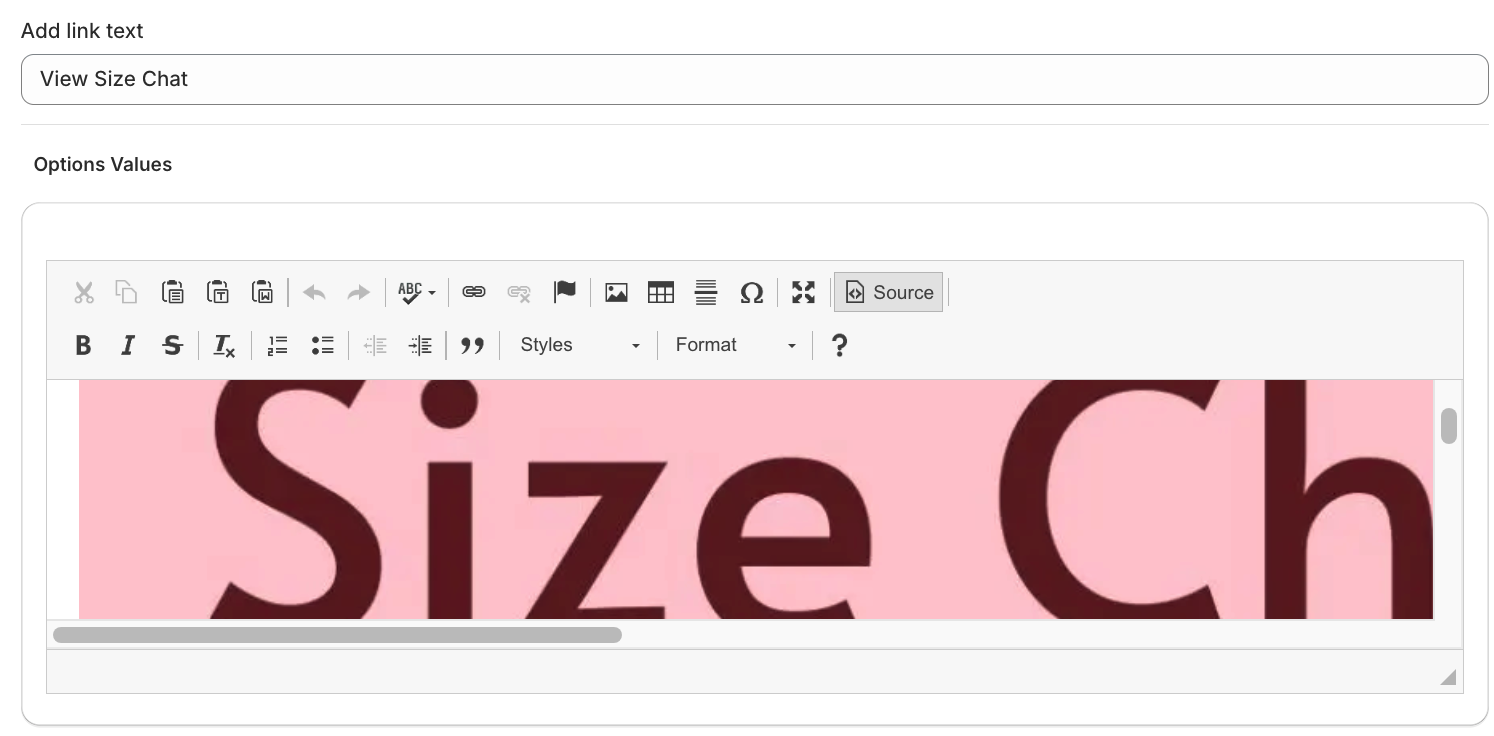
This section allows merchants to add custom content that will be displayed inside the popup.
Merchants can add fully customizable HTML content, including:
Text descriptions
Images
Tables (e.g., size charts)
Videos (embedded)
Links
• Example Content
Size chart table for clothing
Product usage instructions
Care guidelines
Ingredient or material details
Pricing
? This is a non-chargeable option
No pricing is applied to this option.
? Use Cases
Size charts for apparel
Product guides and instructions
Ingredient or material details
Warranty or policy information
“Learn more” sections for complex products
Was this article helpful?
That’s Great!
Thank you for your feedback
Sorry! We couldn't be helpful
Thank you for your feedback
Feedback sent
We appreciate your effort and will try to fix the article