The Short Text Group Option in the Sellio Product Options app allows customers to enter multiple short text inputs in a grouped format. This is ideal when you need to collect separate pieces of information in individual lines, such as names, messages, or short custom inputs.
It provides a structured way to capture multiple text entries within a single option group, improving clarity and organization.
A Short Text Group Option displays multiple text fields where customers can enter different short inputs line by line.
Example:
Enter Names for Custom Printing
Name 1: John
Name 2: Emma
Name 3: Liam
? Customers can input multiple short texts separately
Basic Configuration
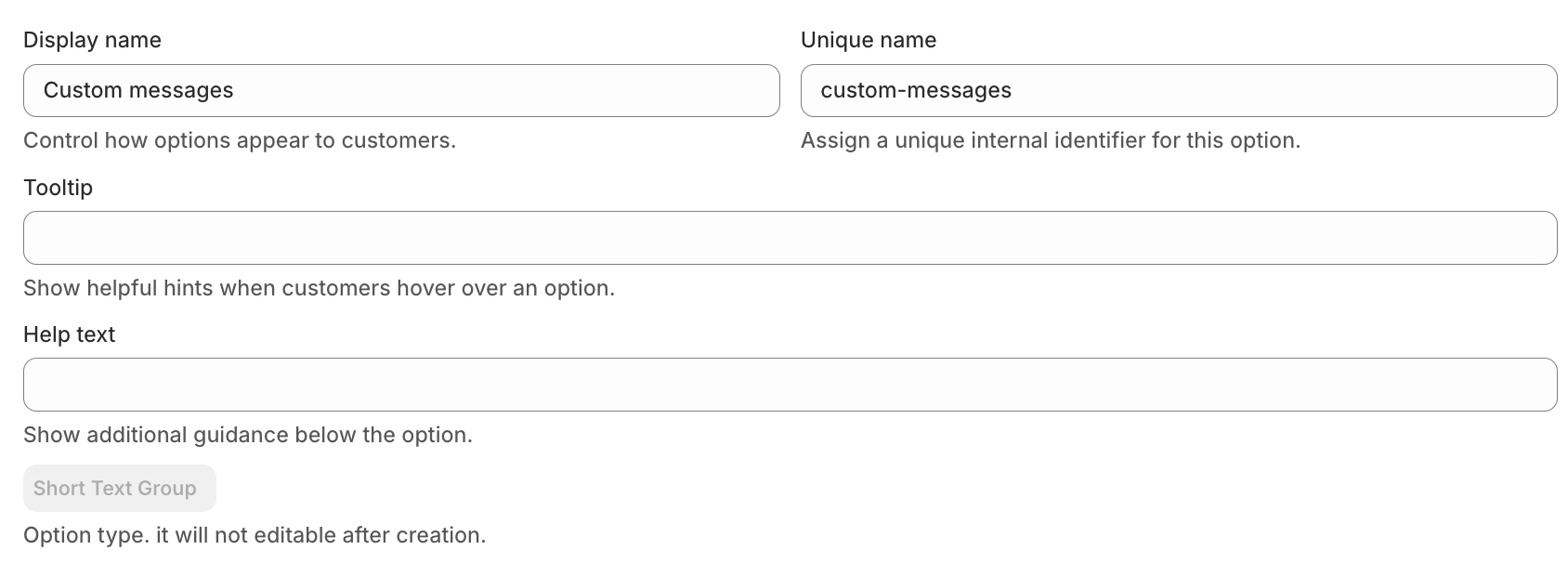
• Display Name
This is the label visible on the product page.
Example: Enter Custom Names
• Unique Name
Internal identifier used for backend operations.
Example: custom_text_group
• Tooltip
Displays additional information when hovered.
Example: Enter each name in a separate field
• Help Text
Shown below the option to guide customers.
Example: You can add multiple names or short messages
Advanced Settings
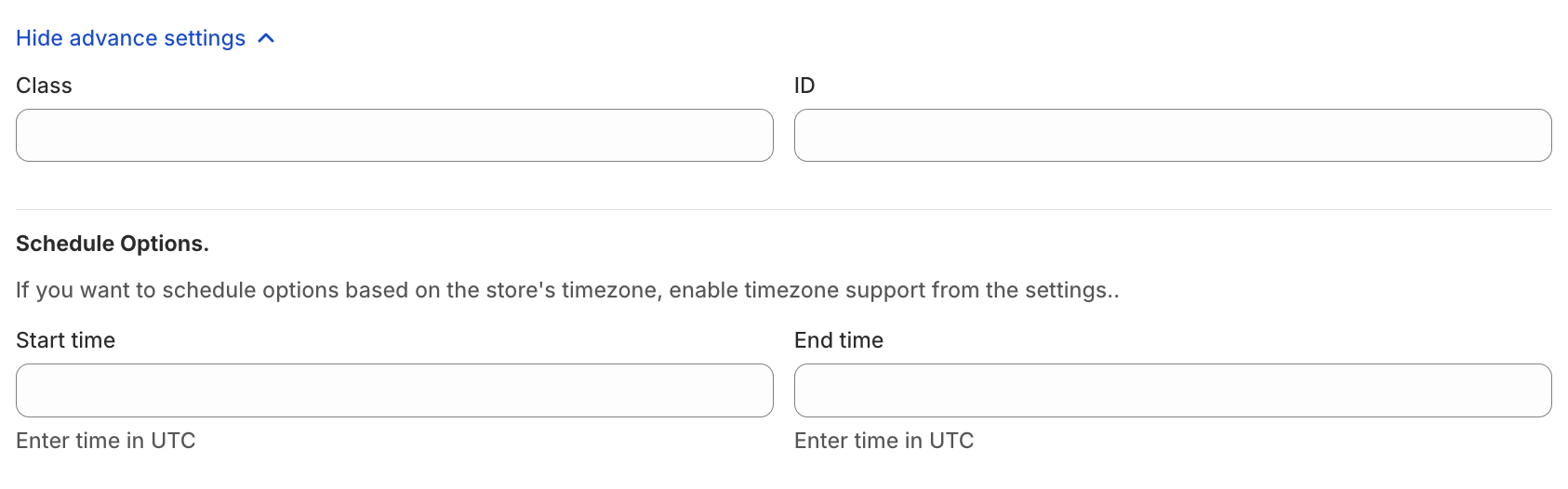
• Class & ID
Used for custom styling or tracking via CSS/JS.
• Schedule Option
Control when the option is visible:
Start Time
End Time
Use Case:
Enable personalization fields only during special campaigns.
• One-Time Charge
When enabled, the charge for this option is applied only once per product, even if quantity is more than 1.
Example:
Customization fee = $10
Product quantity = 3
? Total charge = $10 (not $30)

✍️ Input Fields Setup
This option allows you to create multiple short text fields within one group.
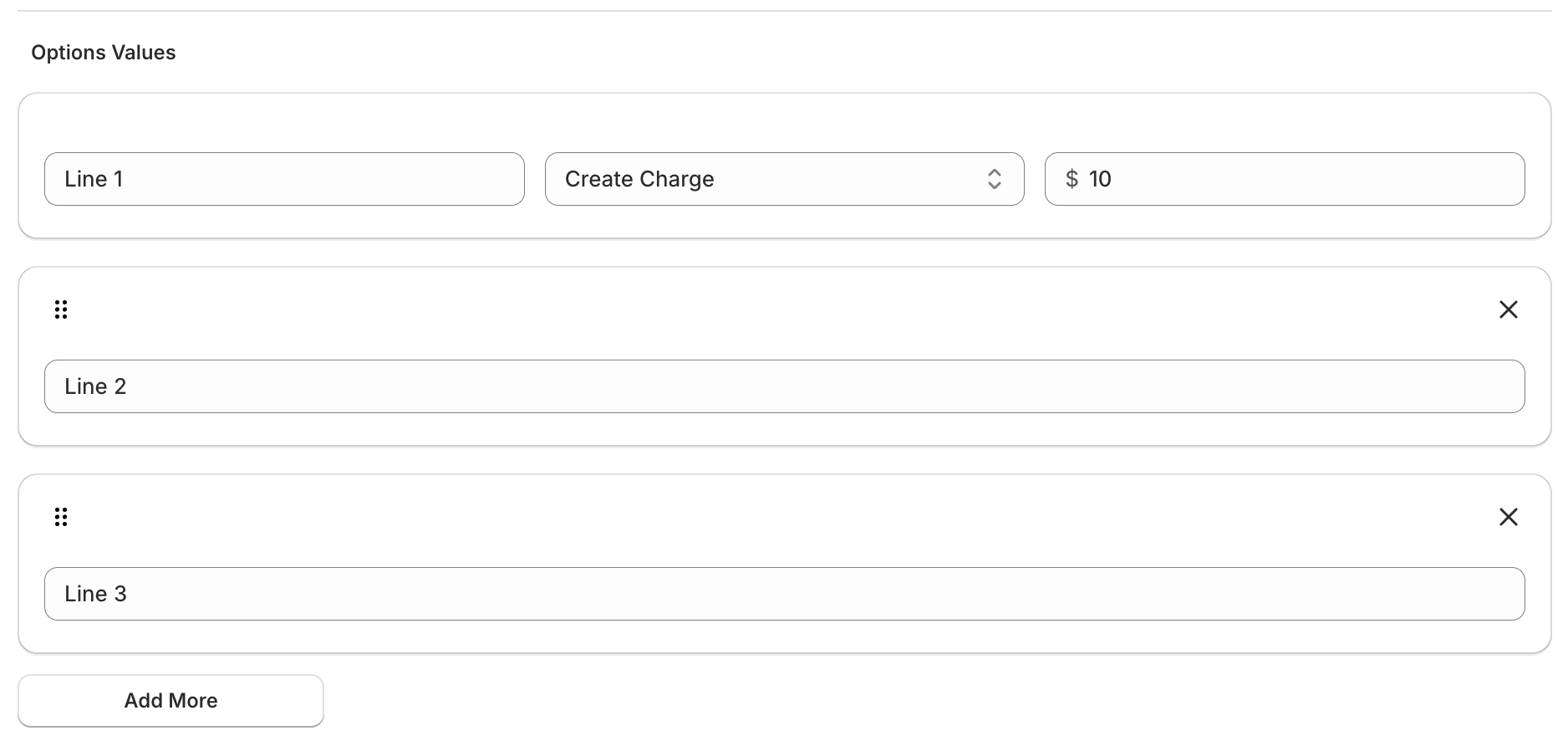
• Field Labels
Each input can have its own label.
Examples:
Name 1
Name 2
Message Line 1
? Pricing Configuration
The Short Text Group Option supports flexible pricing:
No Charge
Free text inputCreate Charge (Fixed Price)
Example: Customization fee = $10- Link Existing Product/Variant
Link existing Shopify variant/product with the Option value. Percentage-Based Price
Example: 5% of product priceMultiplication-Based Price
Price scales based on product quantity
• Pricing Behavior
? Typically applied as a single charge for the entire group
(or based on selected pricing logic)
? Use Cases
Personalized products (Multiple names on items)
Event orders (Guest names list)
Custom printing (T-shirts, mugs, gifts)
Messages (Multiple short lines for cards or engravings)
Was this article helpful?
That’s Great!
Thank you for your feedback
Sorry! We couldn't be helpful
Thank you for your feedback
Feedback sent
We appreciate your effort and will try to fix the article