The Paragraph Text option in the Sellio Product Options App allows customers to enter long-form text inputs directly on the product page. Unlike the Single Line Text option, this field supports multiple lines of text, making it ideal for detailed messages or instructions.
This option is best suited for collecting extended personalization details or customer notes.
How to Create a Paragraph Text Option
Navigate to:
App Dashboard → Create Option → Select “Paragraph”
Once selected, configure the option using the available settings.
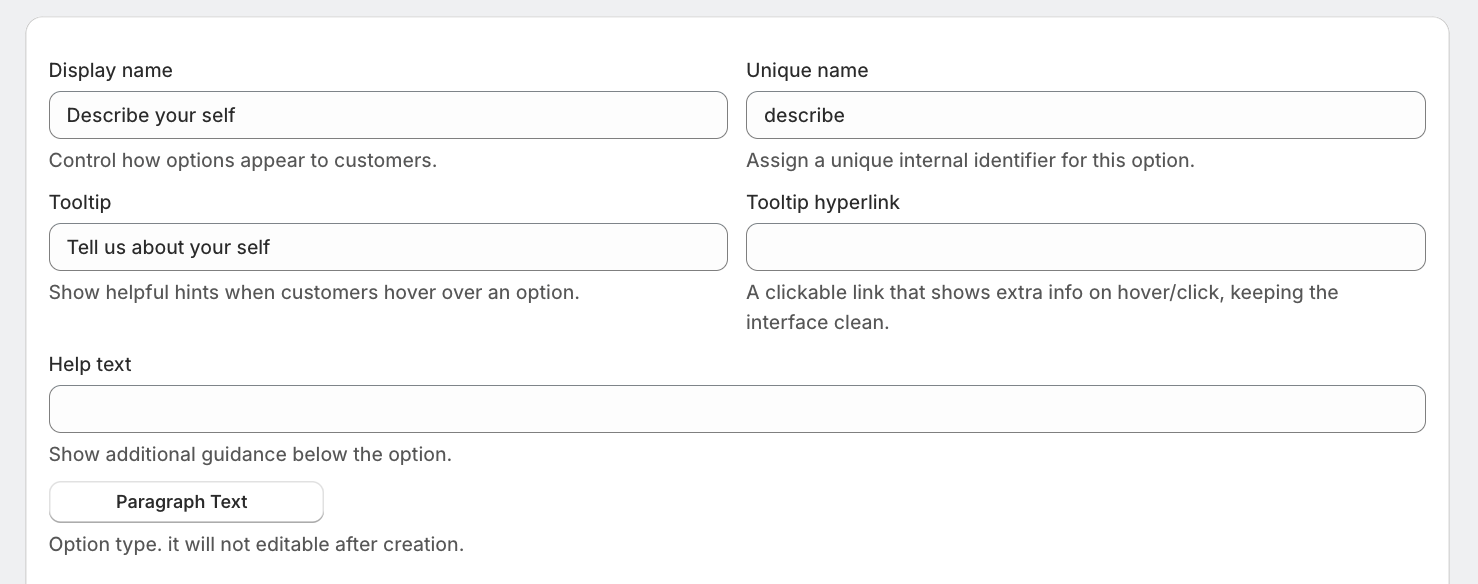
Field Settings Explained
Display Name
This is the label visible to customers on the product page.
Examples:
Enter Your Message
Custom Instructions
Tell us about yourself
Unique Name
A unique internal identifier for this option.
Used for backend tracking
Not visible to customers
Must be unique
Tooltip
Displays a hover message to guide customers.
Example:
Enter your full message exactly as you want it printed.
Help Text
Appears below the text area to provide instructions.
Example:
Maximum 250 characters allowed.
Option Type
Set as Paragraph and cannot be changed after creation.
Advanced Settings
Click on “Show advance settings” to access more controls.
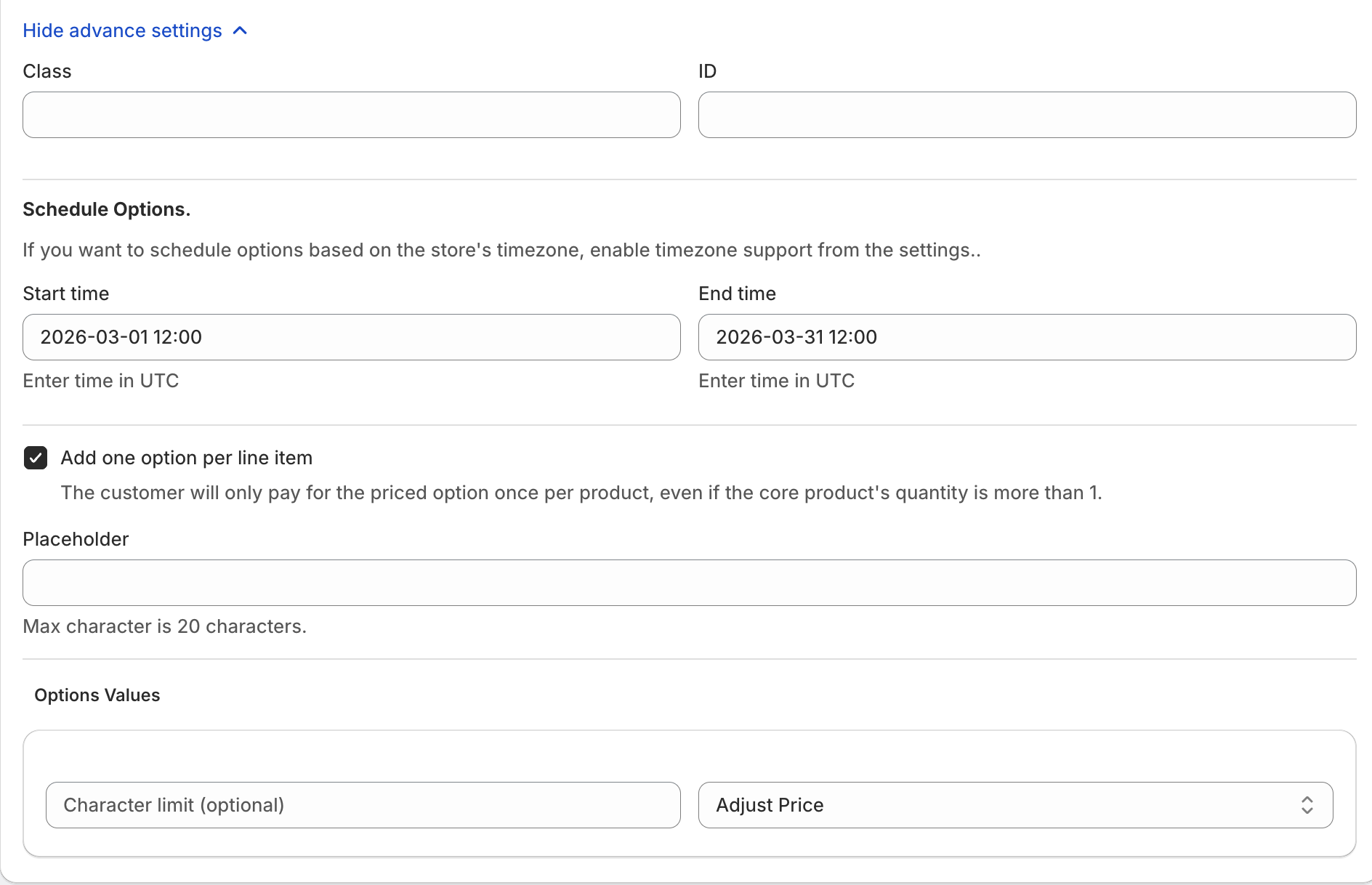
Custom Class & ID
Assign a custom class or ID for:
Custom CSS styling
JavaScript targeting
Advanced theme customization
Schedule Options
Control when this option is available using:
Start Time
End Time
(All times are in UTC unless store timezone is enabled.)
Use Cases
Limited-time message personalization
Holiday or seasonal notes
Event-based customization
One-Time Charge Option
“Add one option per line item”
When enabled:
Charge is applied only once per product
Even if the product quantity is more than 1
Example
Product quantity: 2
Message charge: ₹100
Total charge applied: ₹100 (not ₹200)
Placeholder
Displays inside the text box to guide users.
Examples:
Enter your message here
Write your custom instructions
Character Limit
Set a maximum character limit for the paragraph input.
Example:
Max 250 characters
Helps control input size and ensures proper formatting.
Pricing Configuration (Option Values)
The Paragraph Text option supports flexible pricing models:
1. Fixed Price Add-on
Adds a fixed amount to the product.
Example: +₹100 for custom message
2. Multiplication-Based Charge
Dynamic pricing based on product logic.
Example:
Price × 0.5
Product price ₹1000 → Charge ₹500
3. Charge Per Character
Charge based on message length.
Example:
₹1 per character
100 characters → ₹100
4. Percentage-Based Charge
Charge calculated as a percentage of product price.
5. Shopify Variant-Based Pricing
Option pricing can be linked with Shopify variant pricing.
Example Setup
Display Name: Gift Message
Character Limit: 250
Placeholder: Enter your message here
Price: ₹100 fixed
One-Time Charge: Enabled
Was this article helpful?
That’s Great!
Thank you for your feedback
Sorry! We couldn't be helpful
Thank you for your feedback
Feedback sent
We appreciate your effort and will try to fix the article