The Hidden Field option in the Sellio Product Options App is used to store internal or backend data that is not visible to customers on the product page.
This option is ideal for passing important information such as internal notes, IDs, tags, or logistics data along with the order.
How to Create a Hidden Field Option
Navigate to:
App Dashboard → Create Option → Select “Hidden Field”
Then configure the option using the available settings.
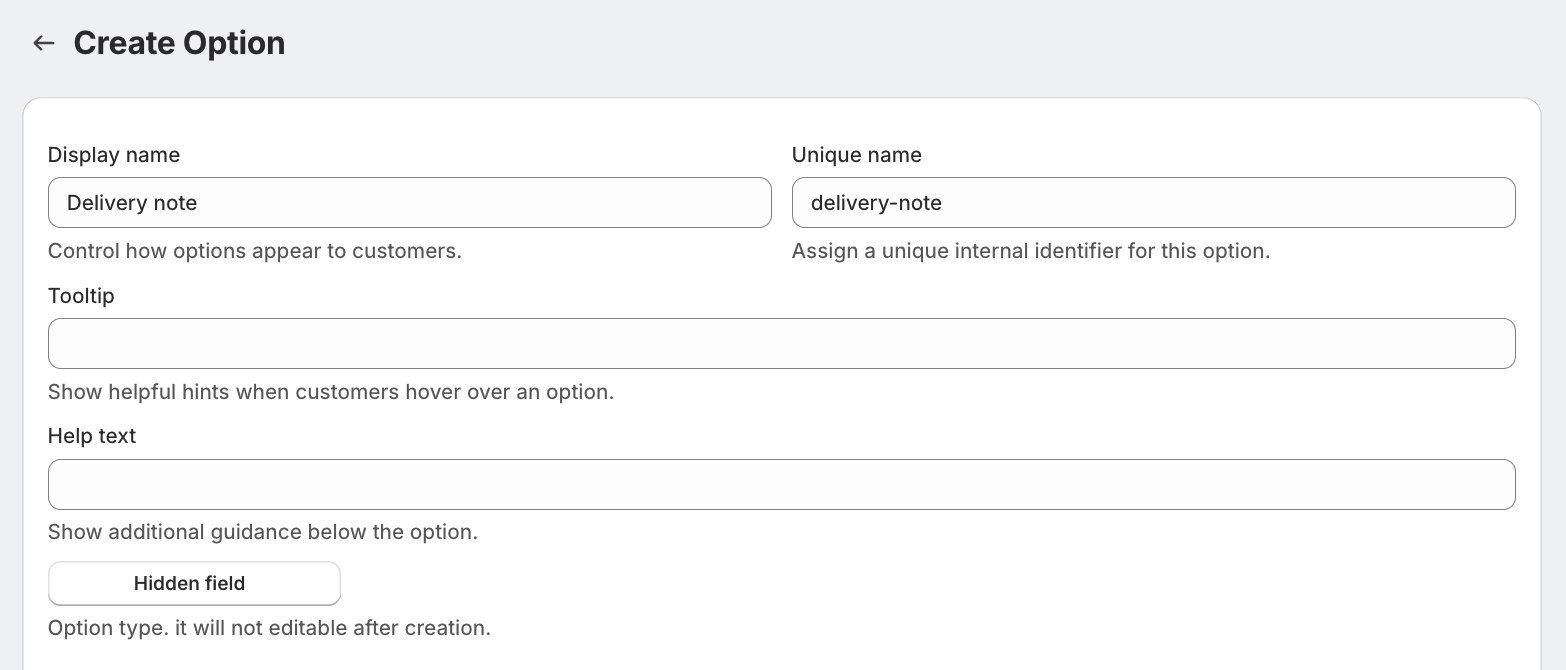
Field Settings Explained
Display Name
Used internally to identify the field.
Examples:
Internal Order Tag
Logistics ID
Warehouse Code
Unique Name
A unique internal identifier.
Used for backend processing
Not visible to customers
Must be unique
Tooltip & Help Text
Not applicable for customer interaction
Can be used internally for reference
Option Type
Fixed as Hidden Field and cannot be changed after creation.
Advanced Settings
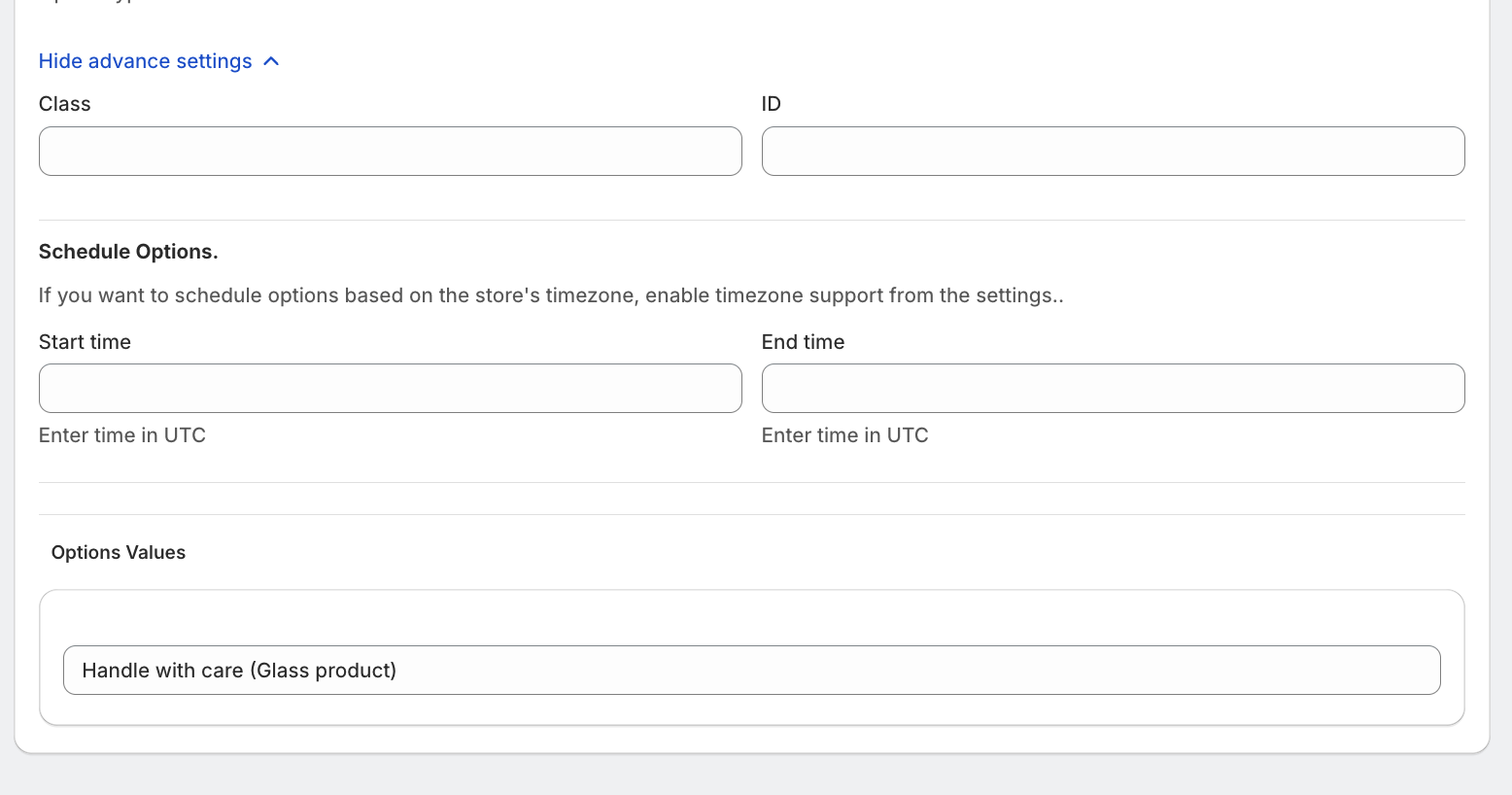
1. Custom Class & ID
Assign:
Class
ID
2. Schedule Options
Control when this field is active:
Start Time
End Time
(All times are based on UTC unless store timezone is enabled.)
Option Values
Add Value
You can define a default or fixed value that will be attached to the order.
Examples:
WH-DEL-01
EXPRESS-SHIPPING
INTERNAL-TRACK-123
This value will:
Be stored with the order
Be accessible in backend/admin
Help with automation and tracking
Pricing
? No pricing is applied to Hidden Field options.
This option is purely for internal use
Customers are not charged
Example Setup
Display Name: Logistics Code
Value: WH-DEL-01
Visibility: Hidden from customers
Purpose: Internal tracking
Use Cases
Assign warehouse or vendor codes
Pass internal order identifiers
Track marketing campaigns
Store fulfillment instructions
Add tags for automation workflows
Was this article helpful?
That’s Great!
Thank you for your feedback
Sorry! We couldn't be helpful
Thank you for your feedback
Feedback sent
We appreciate your effort and will try to fix the article