The Email option in the Sellio Product Options App allows customers to enter a valid email address directly on the product page. This is useful for collecting customer contact details, sending digital products, or sharing order-related information.
How to Create an Email Option
Navigate to:
App Dashboard → Create Option → Select “Email”
Then configure the option using the available settings.
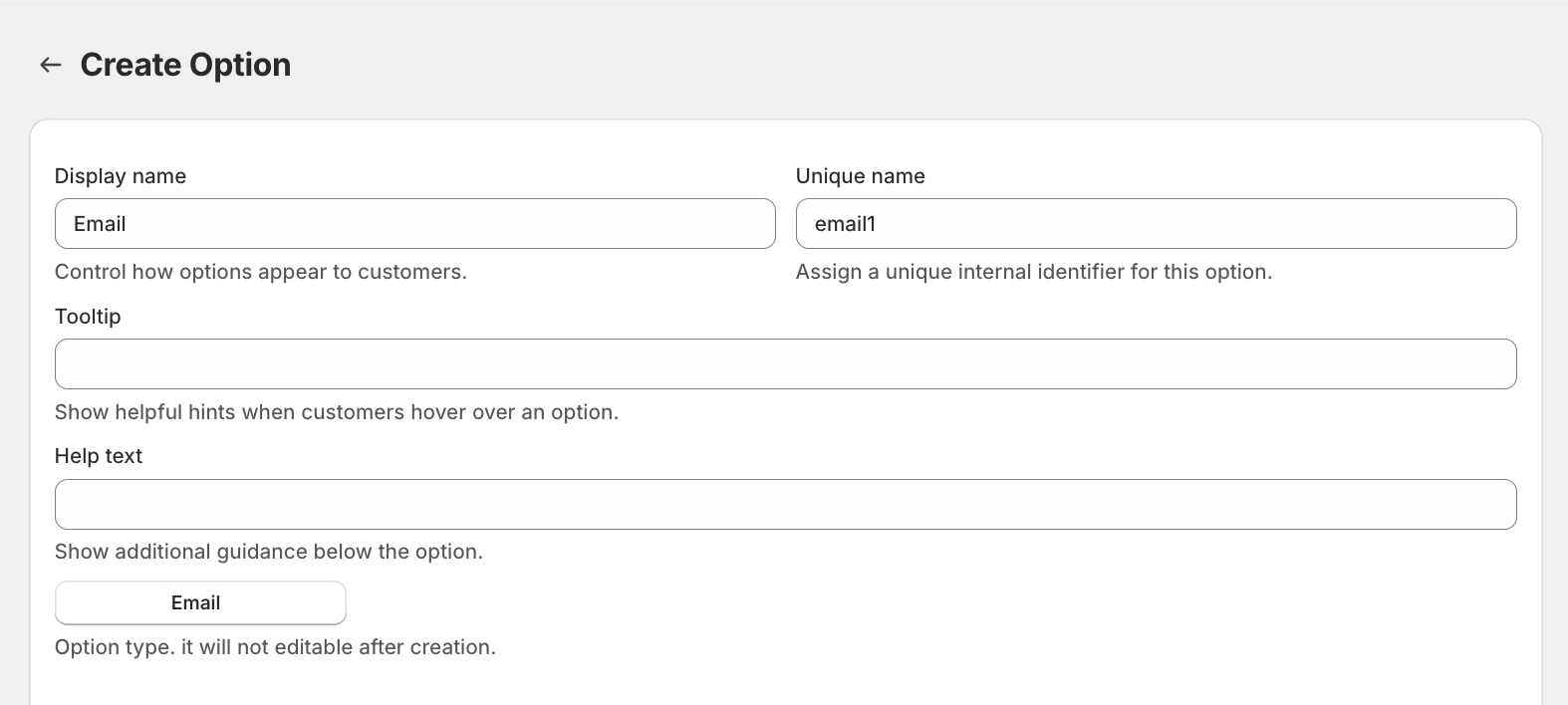
Field Settings Explained
Display Name
This is the label visible to customers.
Examples:
Enter Your Email
Recipient Email
Contact Email
Unique Name
A unique internal identifier.
Used for backend tracking
Not visible to customers
Must be unique
Tooltip
Displays additional information on hover.
Example:
Please enter a valid email address.
Help Text
Shown below the field for extra guidance.
Example:
We will send order details to this email.
Option Type
Fixed as Email and cannot be changed after creation.
Advanced Settings
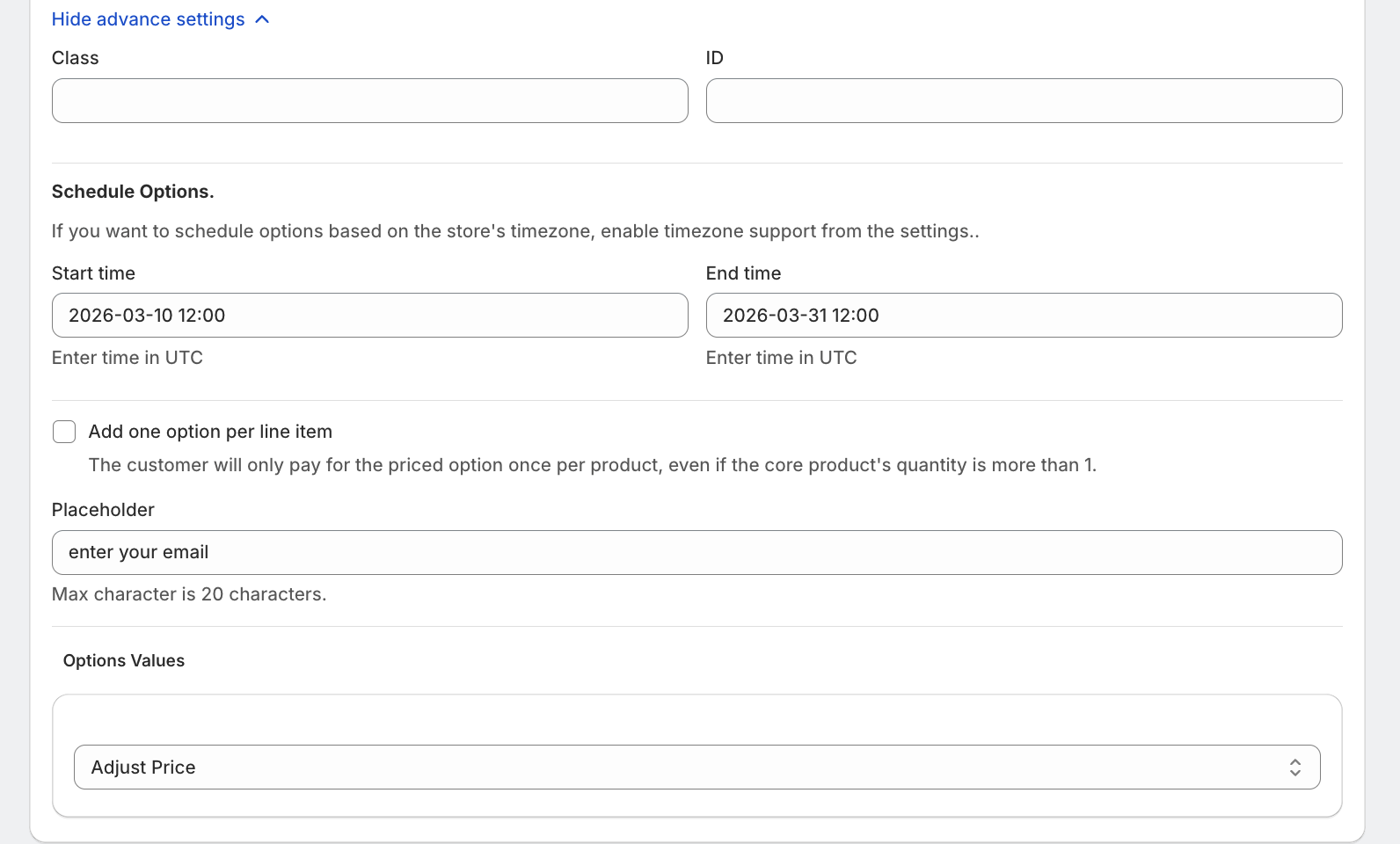
1. Custom Class & ID
Assign:
Class
ID
Useful for:
Custom styling
JavaScript validation
Advanced integrations
2. Schedule Options
Control when the option is visible:
Start Time
End Time
(All times are based on UTC unless store timezone is enabled.)
3. One-Time Charge Option
“Add one option per line item”
When enabled:
Charge is applied only once per product
Even if product quantity is more than 1
4. Placeholder
Define a sample input value.
Example:
Helps users understand expected input format.
5. Character Limit
Set a maximum character length for the email field.
Pricing Configuration
The Email option supports flexible pricing:
1. No Price
No additional cost for entering an email.
2. Custom Price
Set a fixed price.
Example: ₹20 for sending digital copy
4. Use Existing Variant/Product
Link existing Shopify variant/product with the option
5. Percentage-Based Price
Charge based on product price.
Example:
5% of ₹1000 → ₹50
6. Multiplication-Based Price
Dynamic pricing based on product price.
Example:
Price × 0.2
₹1000 → ₹200
Example Setup
Display Name: Recipient Email
Placeholder: example@email.com
Price: No charge
One-Time Charge: Disabled
Was this article helpful?
That’s Great!
Thank you for your feedback
Sorry! We couldn't be helpful
Thank you for your feedback
Feedback sent
We appreciate your effort and will try to fix the article