The Checkbox Option in the Sellio Product Options app allows customers to select multiple values from a list. It is ideal for add-ons, extras, or optional features where users may want to choose more than one option.
This option provides a flexible and interactive experience, helping customers customize products based on their needs.
A Checkbox Option displays multiple values where customers can select one, multiple, or all options at the same time.
Example:
Select Add-ons
Gift Wrap (+$5)
Greeting Card (+$3)
Premium Packaging (+$7)
Customers can select:
✔ Gift Wrap
✔ Greeting Card
(or all options together)
Basic Configuration
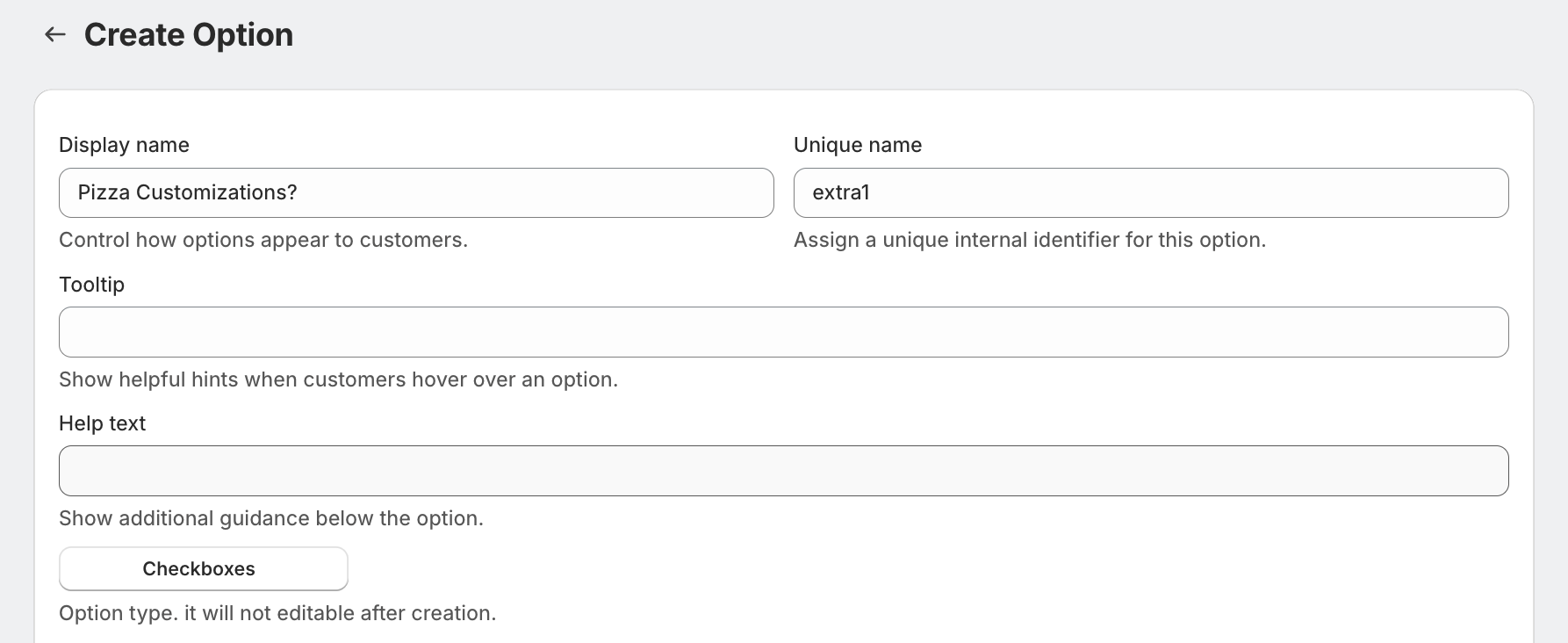
• Display Name
This is the label visible on the product page.
Example: Select Add-ons
• Unique Name
Internal identifier used for backend operations.
Example: addons_option
• Tooltip
Displays additional information when hovered.
Example: Choose one or more add-ons
• Help Text
Shown below the option to guide customers.
Example: You can select multiple options
Advanced Settings
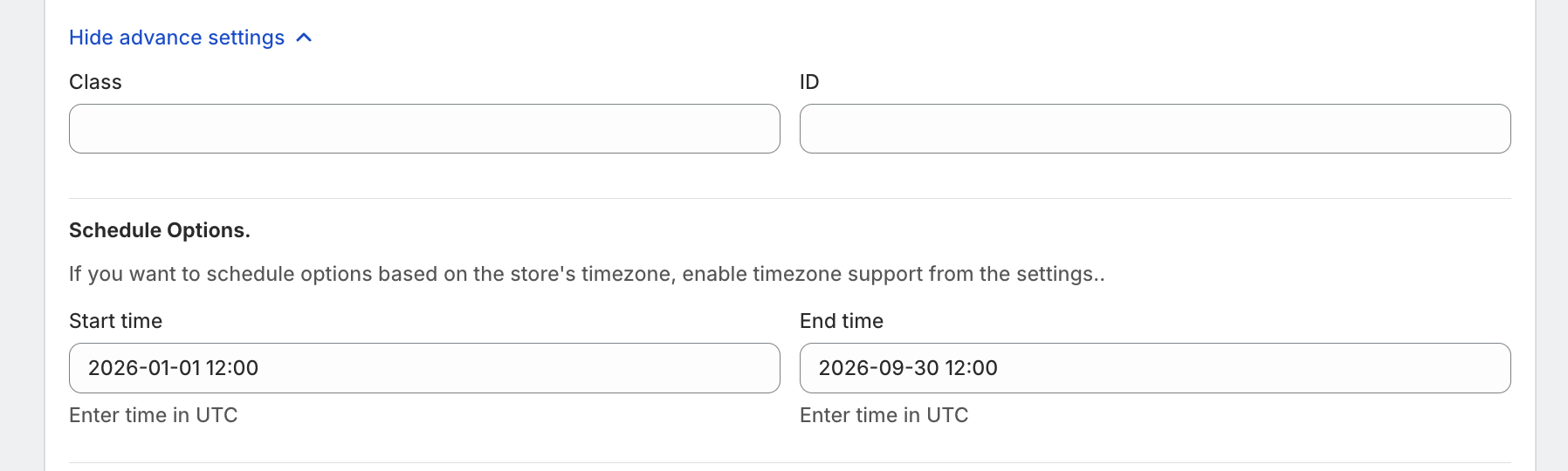
• Class & ID
Used for custom styling or tracking via CSS/JS.
• Schedule Option
Control when the option is visible:
Start Time
End Time
Use Case:
Show festive add-ons only during specific campaigns.
• One-Time Charge
When enabled, the total charge for selected options is applied only once per product, even if quantity is more than 1.
Example:
Product quantity = 3
Gift Wrap = $5
Total charge = $5 (not $15)

• Min-Max value selection
Merchant can set the minimum and maximum number of selection option values.
Example: User must choose at least 1 hobby and up to 3 hobbies.

Option Values Setup
Each checkbox value can be configured individually.
• Option Value Name
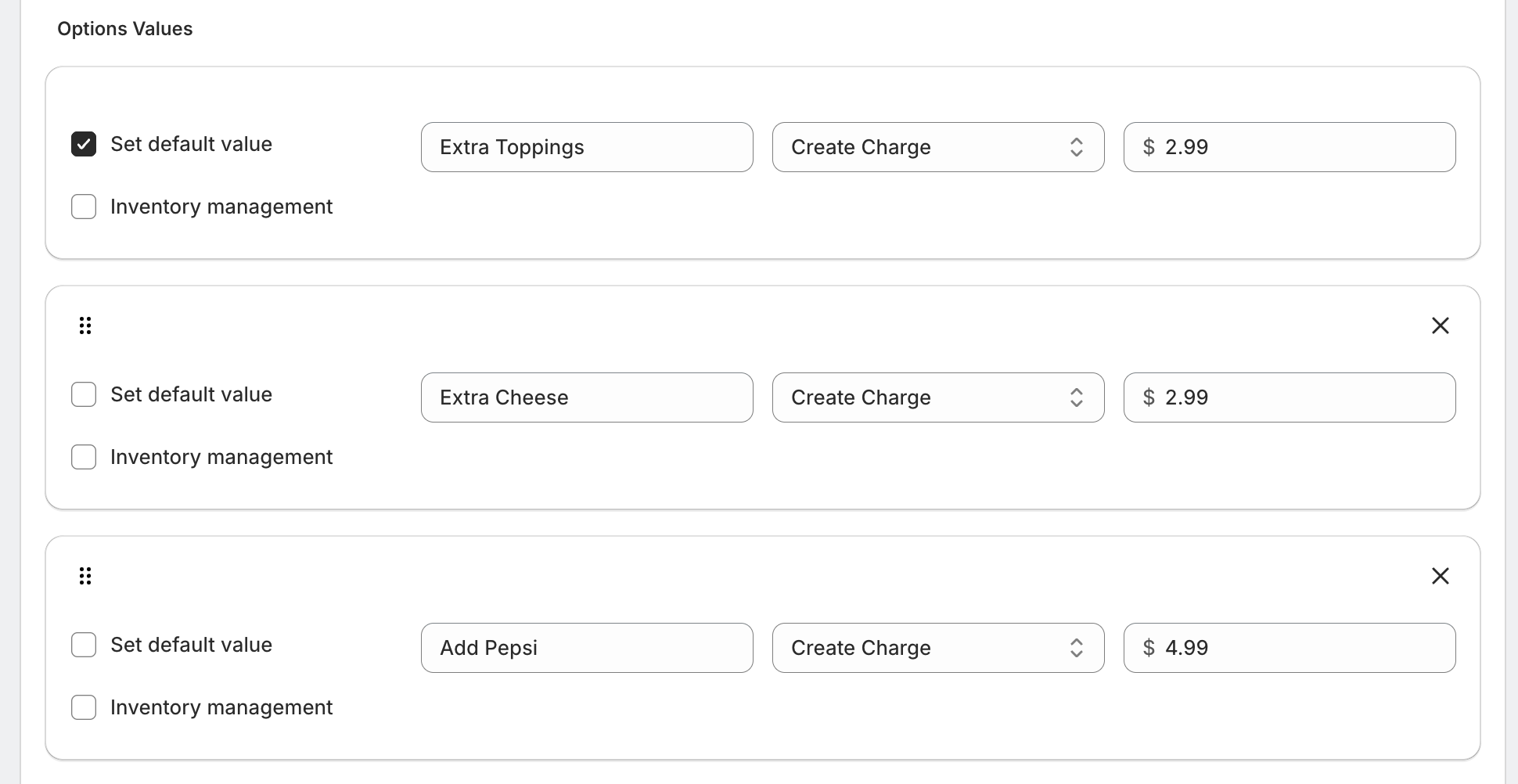
Examples:
Gift Wrap
Extra Cheese
Premium Packaging
• Pricing Options
You can assign pricing logic to each value:
No Charge
Free optionCreate Charge (Fixed Price)
Add a fixed extra charge
Example: Gift Wrap = $5Link Existing Product/Variant
Link existing Shopify variant/product with the Option value.Percentage-Based Price
Example: 10% of product priceMultiplication-Based Price
Price scales with product quantity. Example: 2x of Product Price.
• Pricing Behavior
If multiple values are selected:
Total price = Sum of all selected option values
Example:
Gift Wrap → $5
Card → $3
Total = $8
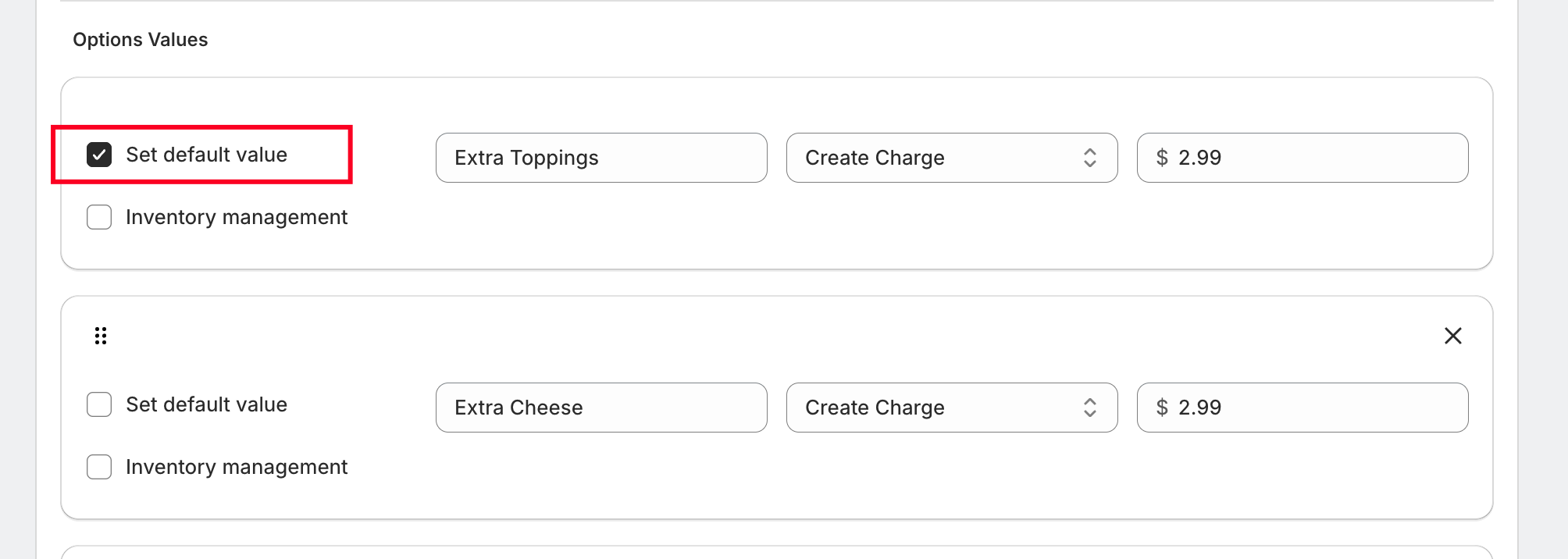
• Set Default Value
Pre-select one or more values when the page loads.
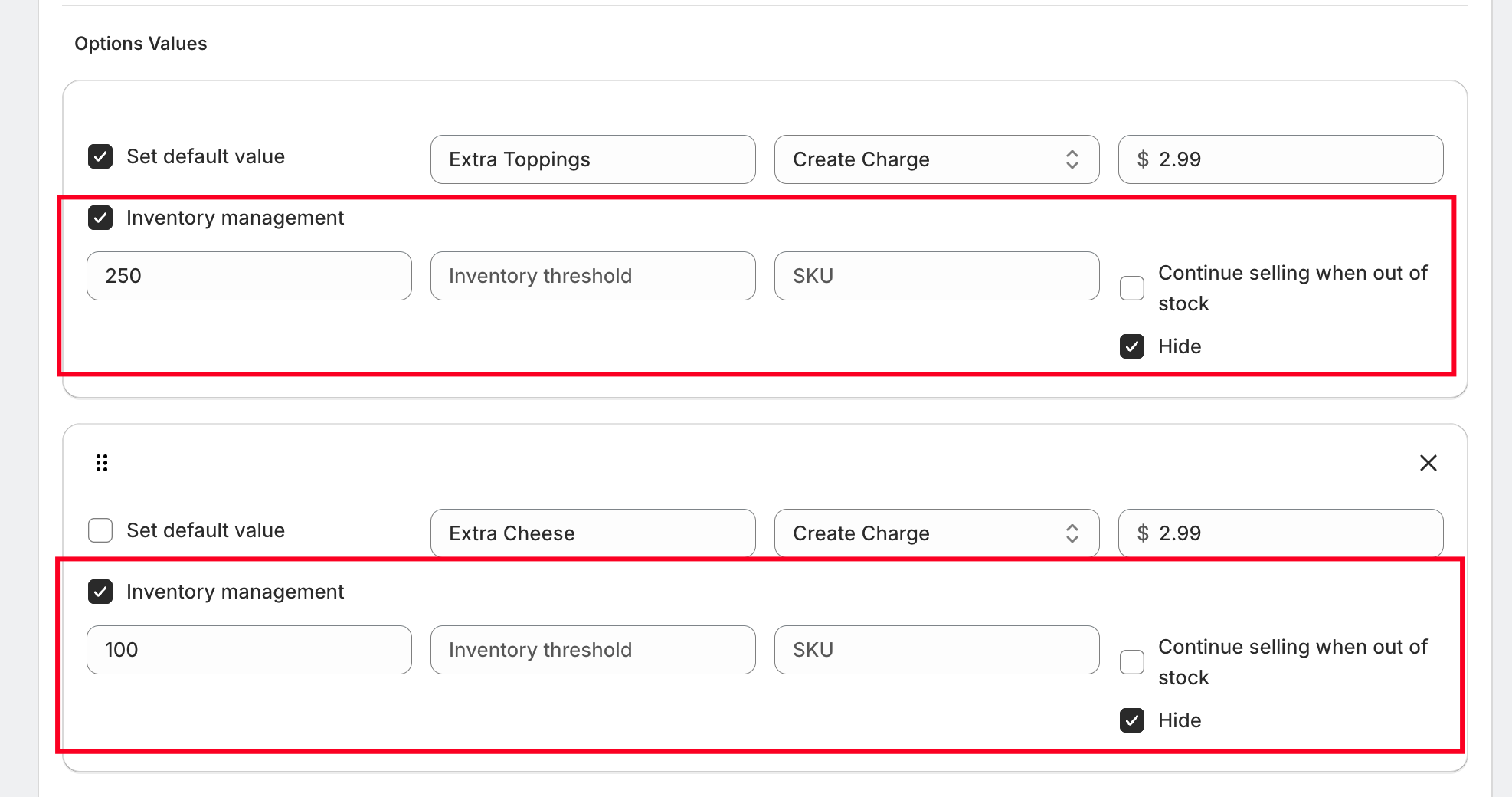
• Inventory Management (Optional)
Track stock for each checkbox value.
Use Cases
Product add-ons (Gift wrap, accessories)
Food toppings (Cheese, sauces, extras)
Service add-ons (Warranty, installation)
Custom bundles (Select multiple items)
Was this article helpful?
That’s Great!
Thank you for your feedback
Sorry! We couldn't be helpful
Thank you for your feedback
Feedback sent
We appreciate your effort and will try to fix the article