The Time Picker option in the Sellio Product Options App allows customers to select a specific time directly on the product page. This option is ideal for businesses that require time-based scheduling, such as deliveries, appointments, or service bookings.
It helps merchants collect precise timing preferences along with the order.
How to Create a Time Picker Option
Navigate to:
App Dashboard → Create Option → Select “Time”
Then configure the option using the available settings.
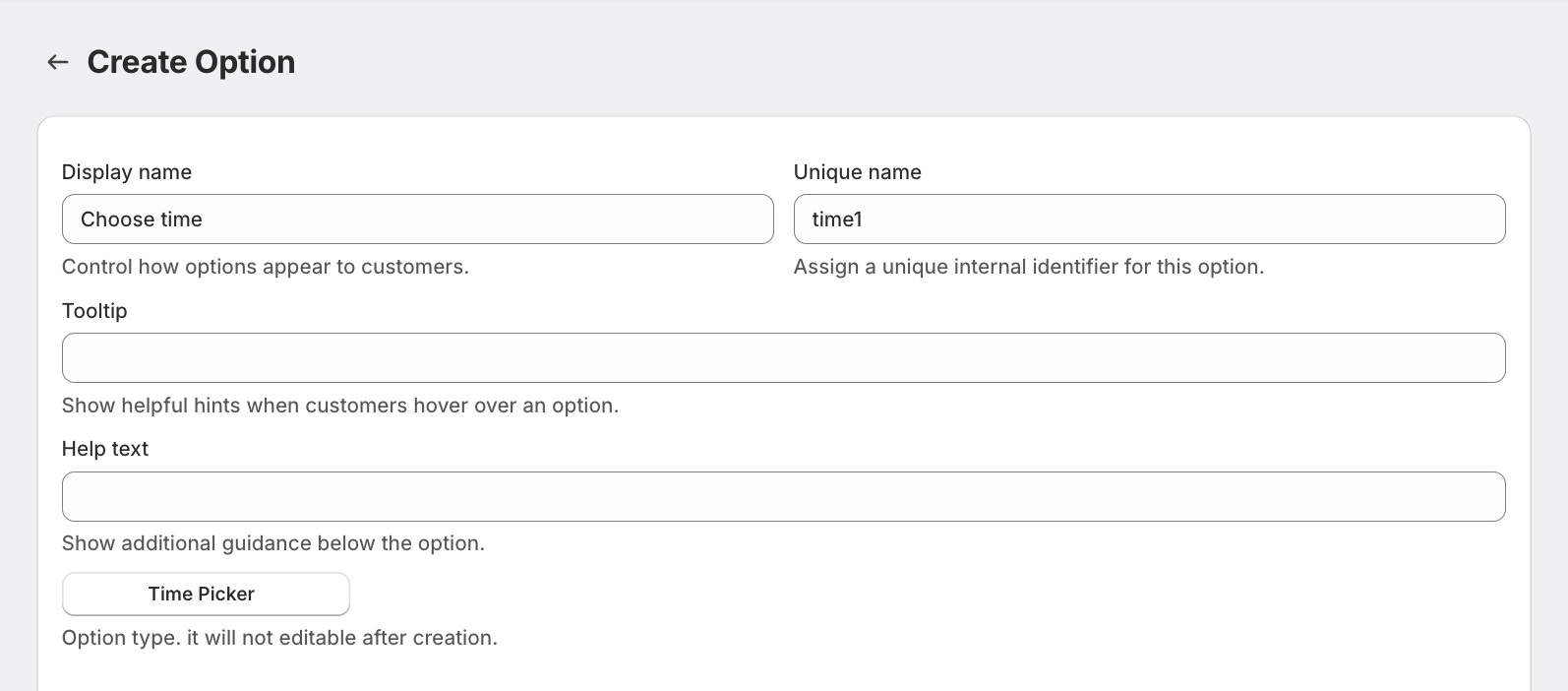
Field Settings Explained
Display Name
This is the label shown to customers.
Examples:
Select Delivery Time
Choose Appointment Time
Pickup Time
Unique Name
A unique internal identifier.
Used for backend tracking
Not visible to customers
Must be unique
Tooltip
Displays additional guidance on hover.
Example:
Please select your preferred time slot.
Help Text
Appears below the field.
Example:
Available between 10:00 AM to 6:00 PM.
Option Type
Fixed as Time and cannot be changed after creation.
Advanced Settings
The Time Picker option includes the following configurations:
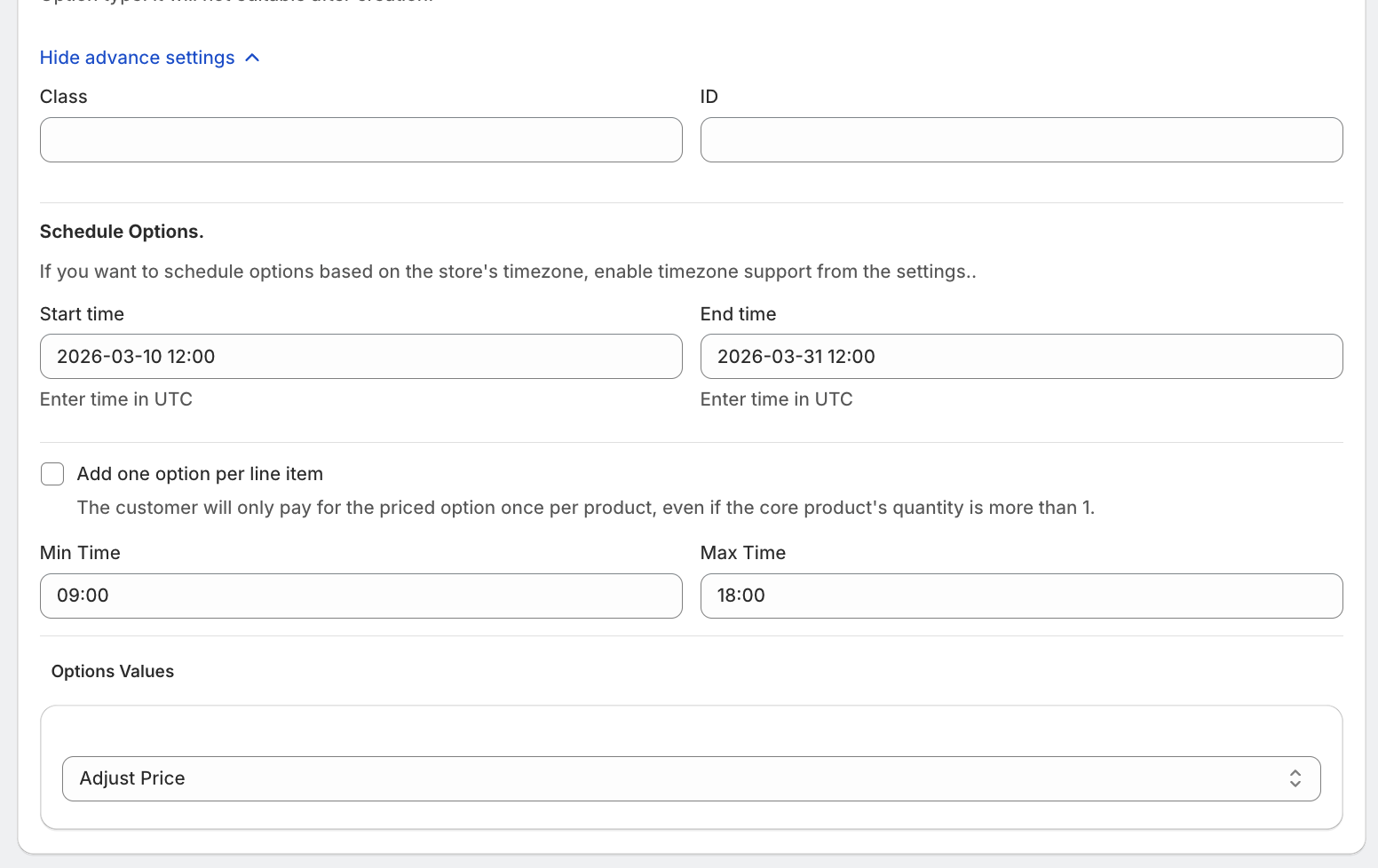
1. Schedule Options
Control visibility of the option using:
Start Time
End Time
(All times are based on UTC unless store timezone is enabled.)
2. Minimum & Maximum Time Selection
You can define:
Minimum selectable time
Maximum selectable time
Example
Minimum Time: 10:00 AM
Maximum Time: 6:00 PM
This ensures customers only select valid time slots.
3. One-Time Charge Option
“Add one option per line item”
When enabled:
Charge is applied only once per product
Even if product quantity is more than 1
Example
Product quantity: 2
Time slot charge: ₹40
Total applied: ₹40 (not ₹80)
4. Custom Class & ID
Assign:
Class
ID
Useful for:
Custom styling
JavaScript logic
Theme customization
Pricing Configuration
The Time Picker option supports multiple pricing models:
1. No Price
No additional cost for selecting a time.
2. Custom Price
Set a fixed charge.
Example: +₹40 for scheduled delivery time
4. Use Existing Variant/Product
Link existing Shopify variant/product with the option
5. Percentage-Based Price
Charge calculated as a percentage of product price.
Example:
5% of ₹1000 → ₹50
6. Multiplication-Based Price
Dynamic pricing based on product price.
Example:
Price × 0.2
₹1000 → ₹200
Example Setup
Display Name: Select Delivery Time
Time Range: 10:00 AM – 6:00 PM
Price: ₹40 fixed
One-Time Charge: Enabled
Was this article helpful?
That’s Great!
Thank you for your feedback
Sorry! We couldn't be helpful
Thank you for your feedback
Feedback sent
We appreciate your effort and will try to fix the article