Sellio Volume Discount allows merchants to create order based discounts that apply when the cart reaches a specific total amount. This type of promotion encourages customers to increase their cart value in order to unlock better discounts.
Follow the steps below to create a Cart Total / Order Based Discount in Sellio Volume Discount.
Step 1: Open the Discounts Dashboard
From your Shopify Admin, open the Sellio Volume Discount app.
Navigate to the Discounts section and click Create Discount.
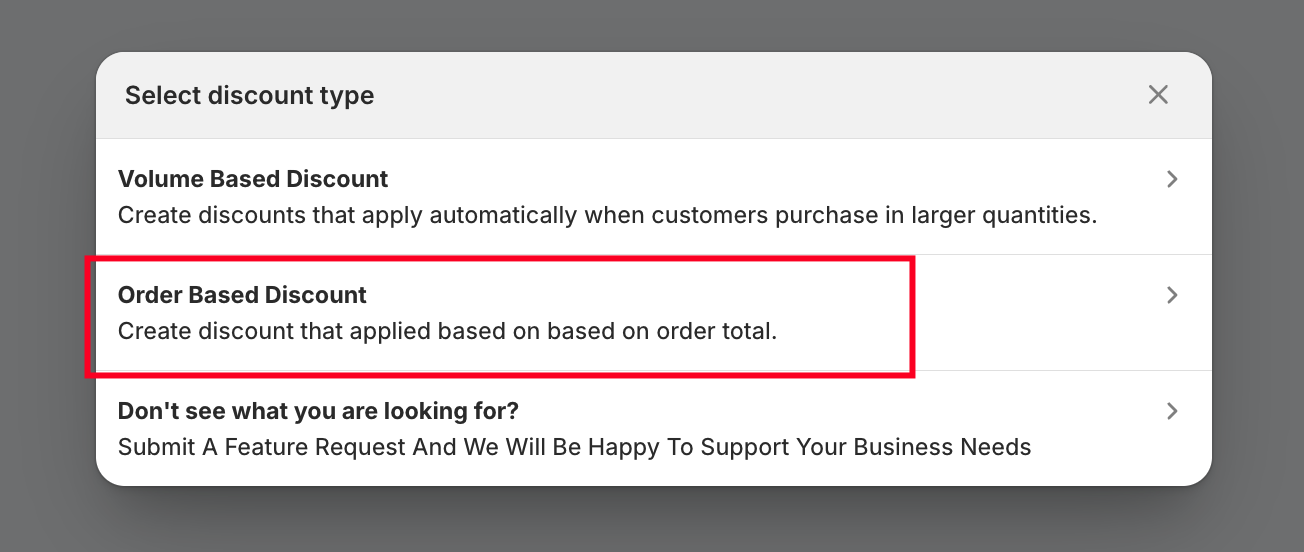
You will then see the available offer types.
Select Order Based Discount.
Step 2: Add the Offer Title
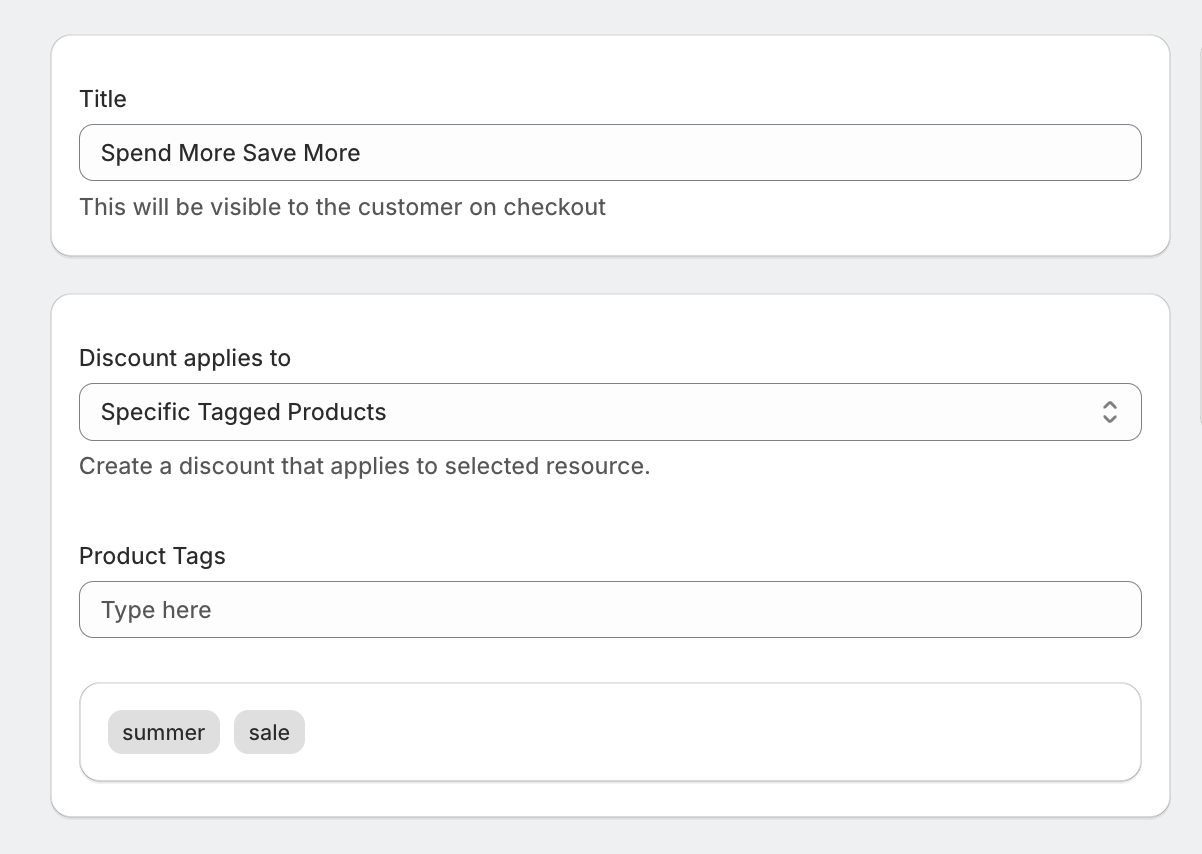
The first step is to enter the Offer Title.
This title helps you easily identify the discount campaign inside the dashboard.
Example titles:
Summer Sale
Payday Special
Spend More Save More
Choose a clear and descriptive name so you can manage your offers easily.
Step 3: Choose Where the Discount Applies
Next, decide which products will be considered when calculating the cart total discount.
You have two options:
All Products
The discount will apply to the entire cart value across all products.
Specific Tagged Products
You can apply the discount only to products that contain a specific product tag.
Example:
If a product has the tag "summer-sale", only those products will count toward the cart total discount.
This allows merchants to run promotions on specific product groups without affecting the entire store.
Step 4: Configure Discount Tiers
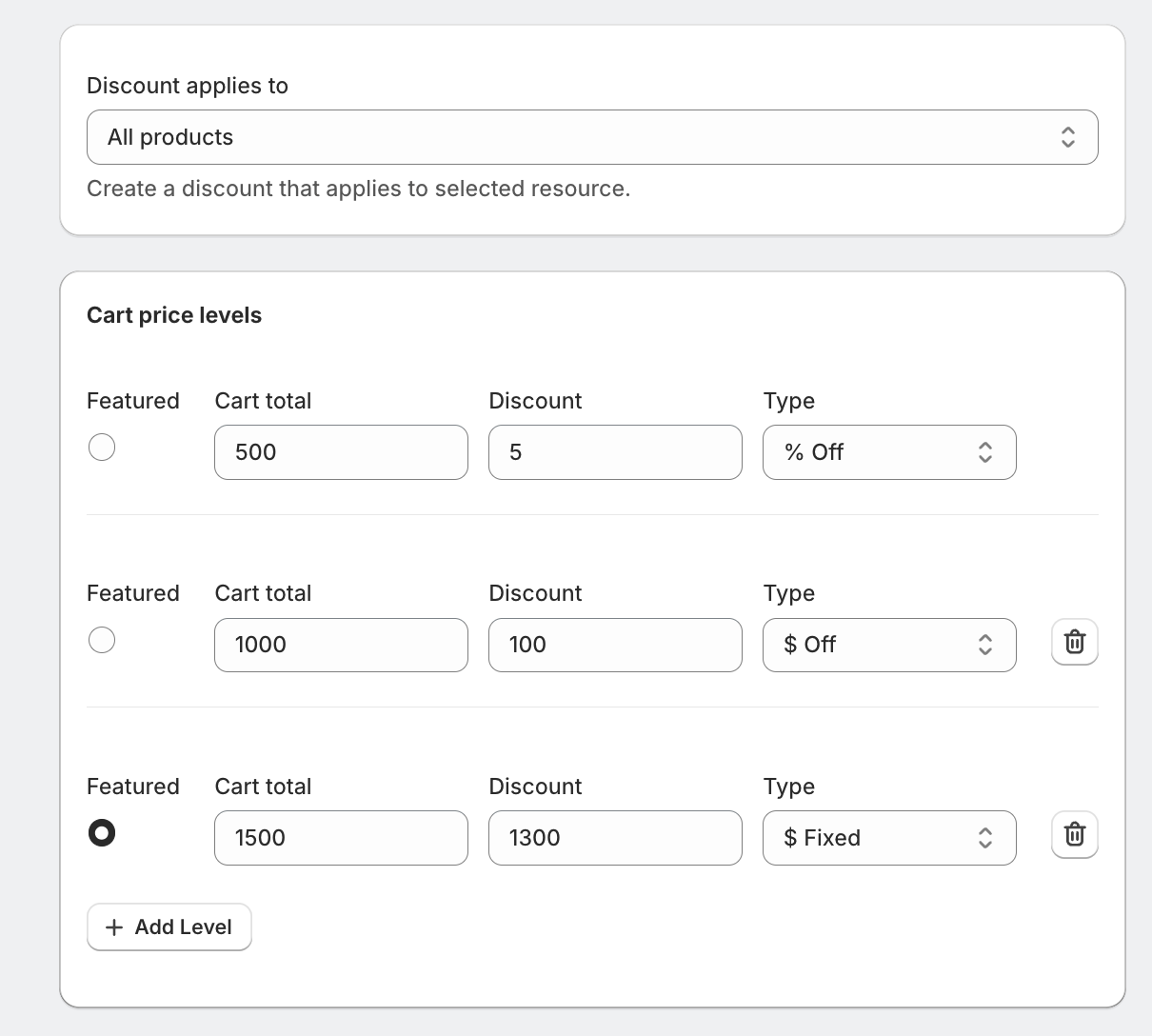
Now create the cart value tiers for your promotion.
This determines how much discount customers receive when they reach certain cart totals.
Example setup:
| Cart Total | Discount |
|---|---|
| Spend $500 | Get 10% Off |
| Spend $1000 | Get 15% Off |
| Spend $2000 | Get 20% Off |
Merchants can add multiple tiers depending on their promotional strategy.
Step 5: Choose the Discount Type
Sellio Volume Discount allows merchants to choose between 3 discount formats.
Percentage Discount
Example:
Spend $1000 → Get 10% Off
Fixed Amount Discount
Example:
Spend $1000 → Get $100 Off
This flexibility allows merchants to design promotions that best match their pricing strategy.
Fixed Order-Amount Discount
Example:
Spend $1000 → Get order for $900
This flexibility allows merchants to design fixed-order-price tiers based on order totals.
For example, if an order reaches $1,200, a discount applies so the total cost is $1,000. The next tier could be set at $2,200, allowing the customer to purchase the entire order for $2,000.
Step 6: Exclude Specific Products (Optional)
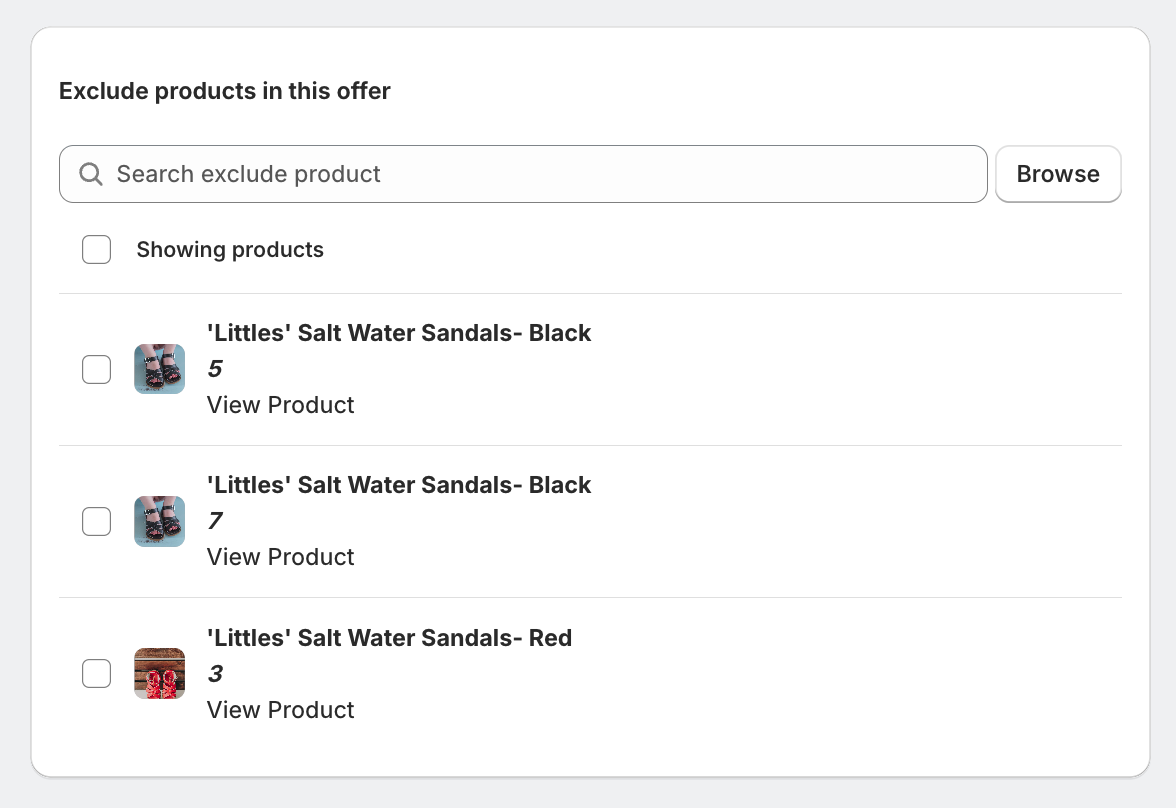
If needed, merchants can exclude certain products from the discount.
This is useful when you want to protect:
High-margin items
Limited edition products
Already discounted items
Simply select the products you want to exclude, and they will not be counted in the order discount.
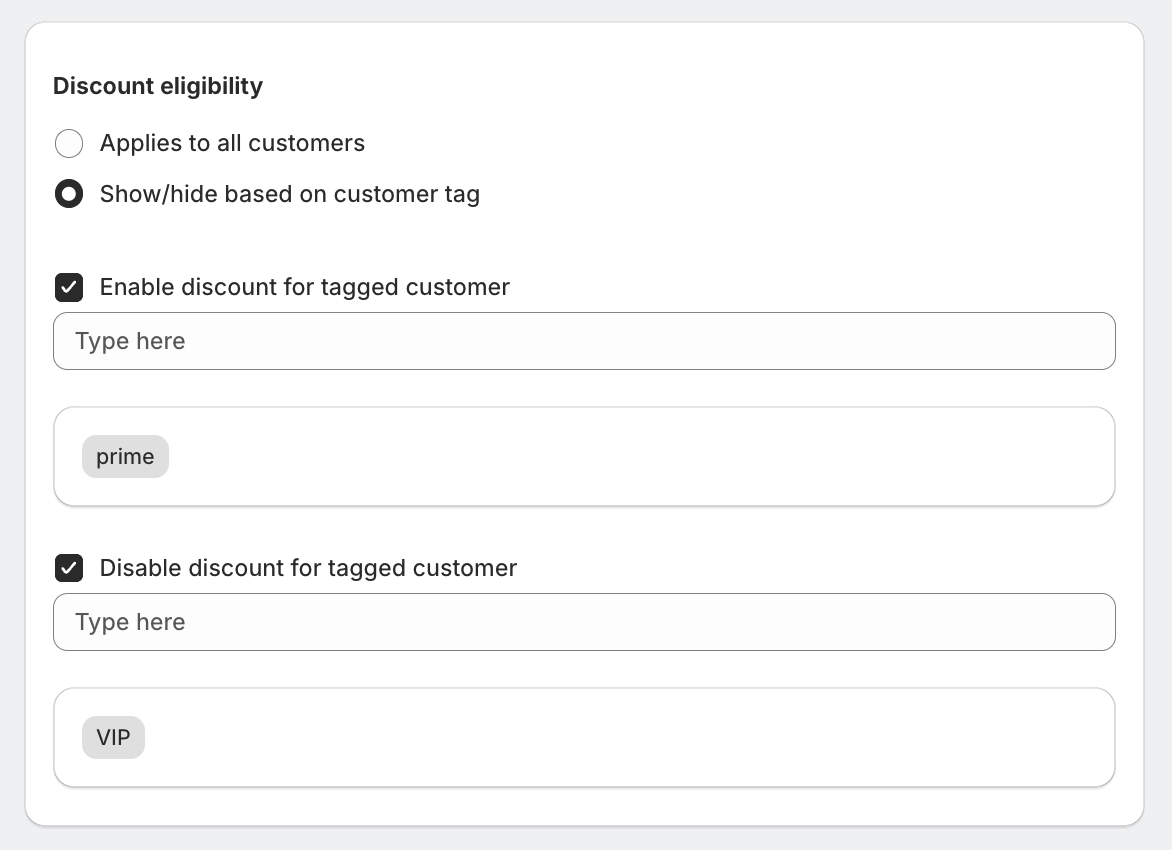
Step 7: Set Discount Eligibility
Next, choose which customers can access this offer.
Sellio Volume Discount provides two options:
All Customers
The discount will be available to everyone shopping in your store.
Tagged Customers Only
You can enable/disable the offer to customers with specific Shopify customer tags.
Example customer groups:
VIP customers
Wholesale buyers
Loyalty members
This allows merchants to run exclusive promotions for specific audiences.
Step 8: Schedule the Offer
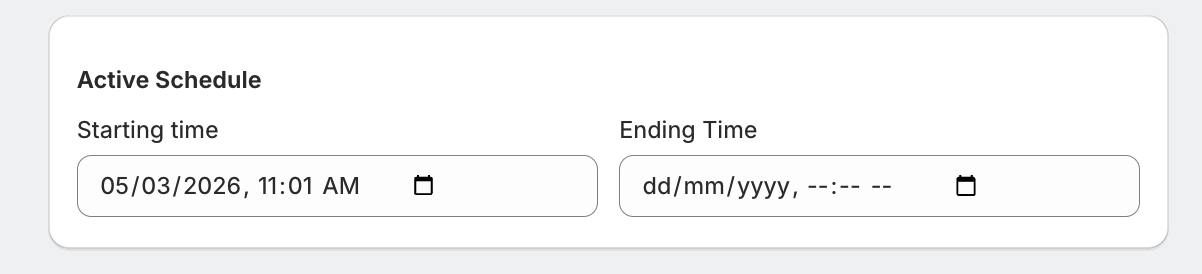
Sellio Volume Discount also allows merchants to schedule discount campaigns.
You can define:
Start date
Start time
End date
End time
Once the end time is reached, the discount will automatically deactivate.
This feature is ideal for:
Flash sales
Weekend promotions
Holiday campaigns
Limited-time offers
Step 9: Save and Activate the Discount
After configuring all settings, simply save the offer.
The order based discount will now apply automatically when customers meet the cart total conditions.
Since Sellio Volume Discount is powered by Shopify Functions, the discount is applied directly within Shopify’s native checkout, ensuring a smooth and reliable checkout experience.
Order based discounts are a powerful way to increase Average Order Value (AOV) by encouraging customers to spend more.
With Sellio Volume Discount, merchants can easily create flexible cart total promotions, apply them to specific product groups, exclude products if needed, and schedule campaigns — all without any coding.
Was this article helpful?
That’s Great!
Thank you for your feedback
Sorry! We couldn't be helpful
Thank you for your feedback
Feedback sent
We appreciate your effort and will try to fix the article